Windows Symlink Creator Prov1.0.0
Free up disk space and boost Windows performanceRead more →
📄 Description
Are you tired of running low on disk space? Do you want to improve your Windows computer's performance without breaking the bank? Look no further than Windows Symlink Creator Pro. This innovative software allows you to seamlessly link files and folders from one location to another, freeing up valuable disk space and making your computer run faster.
Who is this software for? Windows Symlink Creator Pro is perfect for anyone looking to optimize their computer's performance, from home users to businesses and IT professionals. Whether you're dealing with a cluttered hard drive or trying to free up space on your SSD, this software has got you covered.
Key Benefits
- Free up disk space by linking files and folders to alternative locations
- Improve Windows performance and reduce lag
- Seamless integration with Windows native support
- No risk of data loss or corruption
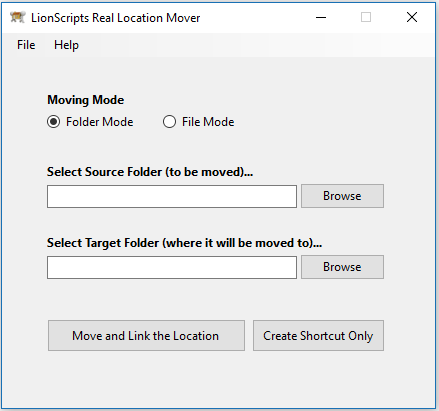
So how does it work? Simply download and install Windows Symlink Creator Pro, then follow the easy-to-use interface to select the files and folders you want to link. The software will take care of the rest, creating a seamless link between the source and destination locations.
By choosing Windows Symlink Creator Pro, you're not only getting a powerful tool for optimizing your computer's performance - you're also getting a commitment to quality and support. Our software is designed to be easy to use, with a user-friendly interface and comprehensive documentation. And if you have any questions or need help, our dedicated support team is always here to assist you.
✨ Features
⭐ Customer Reviews (22)
Works exactly as described for creating both hard links and junction points without touching the command line. I use it primarily to redirect large game install folders to a secondary SSD, and it handles that perfectly. Knocked off one star because the dark mode still has a few contrast issues on smaller screens, but the core functionality is reliable.
While the software does what it promises, I expected more advanced options for managing symlinks. It works well for basic tasks, but power users might find it lacking. Still, it gets the job done.
I've been managing a complex development environment with dozens of shared libraries across multiple drives, and this tool has cut my setup time in half. The batch creation feature is something I didn't know I needed until I used it. The visual directory tree makes it easy to verify links before committing — no more accidental broken paths.
I appreciate how Windows Symlink Creator Pro simplifies the symlink creation process. It's especially helpful for setting up development environments. Just a bit more documentation would be helpful for new users.
I find this symlink creator to be quite effective for my needs. It's straightforward and does the job efficiently. However, I think it could be improved with some additional features like link management.
One of my biggest headaches with Windows symlinks was always the permission elevation required for certain link types. This software handles the UAC prompts cleanly and remembers elevated session context so you're not clicking through dialogs repeatedly. I manage shared workstation environments for a small office and the ability to deploy link configurations consistently across machines has been a real time saver.
As a graphic designer, I often work with numerous files across different locations. This tool has been essential for linking my resources seamlessly. The performance is excellent, and it saves me a lot of time.
The application itself functions correctly and I have no complaints about stability — it has not crashed once over several weeks of use. However, figuring out the difference between the junction, soft link, and hard link modes required a lot of external research since the built-in help is quite sparse. Once you understand what you are doing it is fine, but beginners may struggle.
Windows Symlink Creator Pro has streamlined my workflow significantly. The ability to create symlinks quickly has helped me organize my files without duplicating them. Highly recommend for anyone who manages large projects.
I have games spread across three drives and this makes organising them with symlinks genuinely straightforward — drag the target, pick the source, done. The link health checker that scans for broken symlinks is a nice bonus I use every few months after drive shuffles. Would love a command-line interface option for scripting, which is the only thing holding it back from five stars for my use case.
Our small studio uses a NAS for shared assets, and keeping local symlinks synced across team machines was a nightmare before this. The import/export profile feature lets me distribute a config file to every workstation and everything maps correctly in minutes. Genuinely impressed by how well-thought-out the relative path option is.
I work with a hybrid setup where some folders need to be both locally available and synced through OneDrive, and symlinks are the cleanest solution I've found. This tool handles the creation quickly and the history log is helpful when I need to remember what I linked a month ago. Docking it one star because the import/export of link lists could be more flexible — CSV would be nicer than the proprietary format.
As someone who switches between several Node and Python project environments, symlink management was always a tedious manual task. This tool lets me save named link sets per project and activate them with a couple of clicks, which is a workflow I genuinely rely on daily now. Stability has been flawless across Windows 10 and 11 machines in my experience.
While Windows Symlink Creator Pro is functional, I encountered a few bugs during use. It’s decent for basic symlink tasks, but I had higher expectations based on the features advertised.
The application works fine for basic symlink creation and I haven't run into any bugs. My frustration is that some of the more advanced options — like the junction vs symlink distinction — aren't explained anywhere in the interface or the included help file. I had to look up the differences myself before I felt confident using those features. Would bump to 4 stars if they added proper tooltips or a knowledge base.
I had a collection of batch scripts for different symlinking tasks that had accumulated over years and were becoming a maintenance headache. Symlink Creator Pro covers all those use cases in one place with a consistent interface. The context menu integration is a nice touch — right-clicking a folder and choosing 'Create Symlink Here' feels natural. Would appreciate a dark mode option but that's cosmetic.
Been using this for about four months to manage symlinks between a project folder and several cloud sync directories. The interface is clean and doesn't get in the way, which I appreciate. Setup was straightforward and it remembered all my previous links after a Windows reinstall thanks to the backup and restore feature.
Works exactly as advertised for creating both file and directory symlinks without needing to run anything as admin through the command line. I use it daily to manage linked asset folders across multiple project directories in my design workflow. The only reason I'm giving 4 stars is that some icons look slightly blurry on my 4K monitor — hopefully a future update addresses the DPI scaling. Core functionality is reliable though.
I've been managing symlinks via PowerShell for years and always found it tedious when explaining the workflow to junior devs on my team. Windows Symlink Creator Pro makes the whole process visual and repeatable — the batch creation feature alone saved us hours during a server migration. The relative vs absolute path toggle is a small detail but shows the developers actually understand how symlinks are used in production.
I have a fairly complex home server setup where media libraries need to appear in multiple locations without duplicating files. This tool lets me build and verify symlink trees in minutes instead of wrestling with mklink syntax. The link validator that highlights broken symlinks in red is genuinely useful — found three orphaned links I didn't even know existed.
📸 Screenshots
⚙️ System Requirements
Requirements
- Windows 10 or later
- At least 2 GB of RAM
- At least 100 MB of available disk space
Compatibility
- Windows 10
- Windows 11
- Windows Server 2019
- Windows Server 2022
📥 Installation Guide
Getting Started
- Download the Windows Symlink Creator Pro installation package from our website
- Run the installer and follow the prompts to install the software
- Launch the software and follow the on-screen instructions to select the files and folders you want to link
- Click the 'Create Link' button to create the link between the source and destination locations
- Verify that the link has been created successfully by checking the software's log files
- Repeat the process as needed to link additional files and folders
Product Details
- Version
- v1.0.0
- Last Updated
- May 8, 2026
- Downloads
- 108,799
- Starting Price
- $39.00
- License
- Lifetime
- Platforms
- Windows
Legal & Policies
Support
Need help with Windows Symlink Creator Pro? We're here for you.
Trending Now
Most downloaded products across all categories

WordPress IP Blocker Pro
Protect your WordPress site from brute-force attacks, spam traffic, scrapers, and unwanted visitors with intelligent IP and country blocking.
Prestashop Total Protection Pro
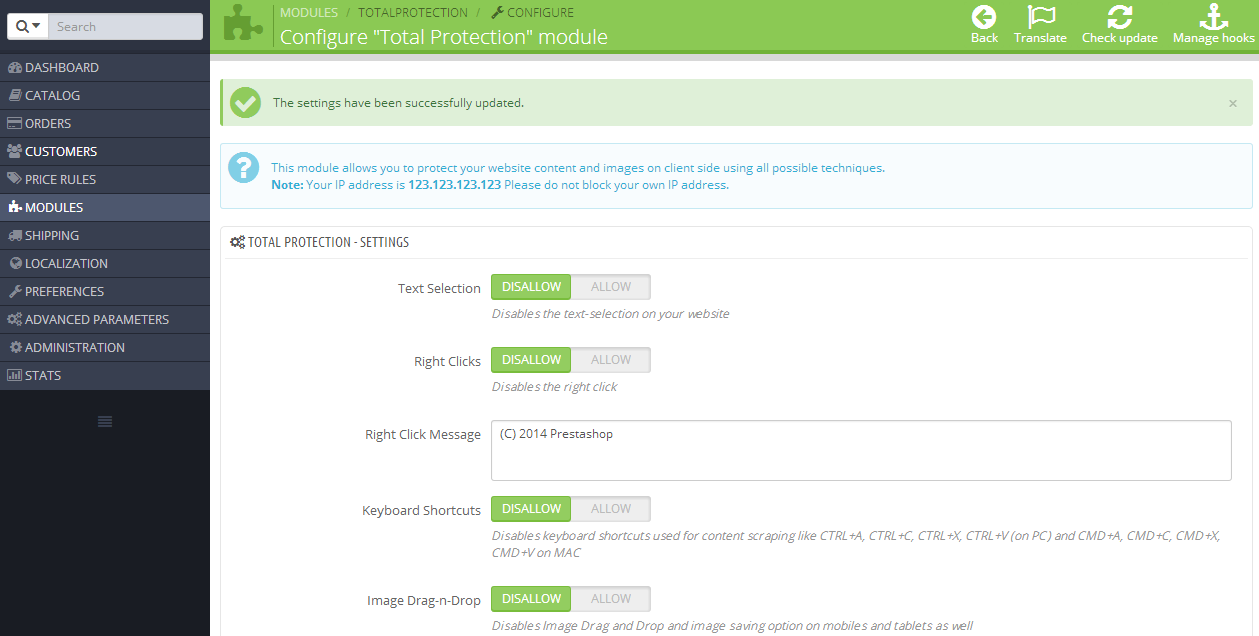
Protect your Prestashop site from content theft

Joomla Copy Protection Pro
Safeguard your Joomla site's content and images from theft

Webmaster Tools Suite
Verify webmaster tools and track analytics in one click
Recently Added
Fresh releases and latest additions
SiteGuard Pro
Safely maintain your site with noindex and nofollow protection
Prestashop Total Protection Pro
Protect your Prestashop site from content theft
Joomla Copy Protection Pro
Safeguard your Joomla site's content and images from theft
Webmaster Tools Suite
Verify webmaster tools and track analytics in one click