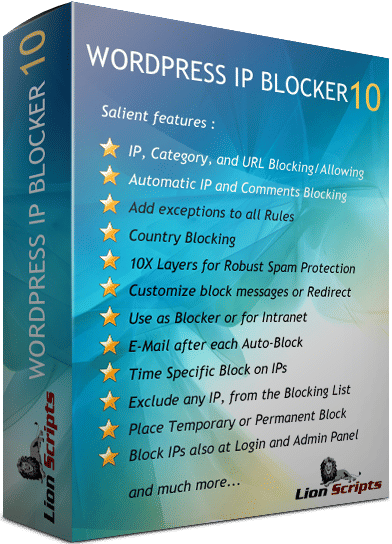
WordPress IP Blocker Prov10
Protect your WordPress site from brute-force attacks, spam traffic, scrapers, and unwanted visitors with intelligent IP and country blocking.Read more →
📄 Description
LionScripts WordPress IP Blocker Pro is a powerful security plugin built to help WordPress site owners stop malicious traffic before it drains server resources, triggers hosting issues, or exposes login areas to repeated attack attempts. It gives you advanced control over who can access your website, admin dashboard, login page, comments, URLs, and content.
Designed for bloggers, agencies, ecommerce stores, membership sites, and businesses hosted on shared servers, VPS, AWS, Google Cloud, or managed WordPress platforms, this plugin helps reduce brute-force login attempts, spam comments, content scraping, and suspicious visitor activity. Instead of manually reacting after damage is done, WordPress IP Blocker Pro enables proactive protection through automated blocking, flexible rules, and intelligent filtering.
Smart Blocking Without Slowing Down WordPress
The plugin supports precise IP rules, wildcard IP ranges, IPv4 and IPv6 addresses, country-level restrictions, URL-based blocking, temporary bans, permanent bans, allowlists, exclusions, and customized block actions. You can redirect blocked visitors, show rule-specific messages, secure the WordPress login screen, and even create an intranet-style site that only approved IP addresses can access.
Administrators can import large IP lists using CSV, back up plugin configurations, receive email notifications when suspicious IPs are automatically blocked, and manage rules from a familiar WordPress-style interface. No server administration or coding experience is required.
Why Choose This Plugin?
WordPress IP Blocker Pro is ideal for anyone who wants stronger site protection without sacrificing usability or performance. By filtering harmful traffic early, it can help reduce bandwidth waste, lower server load, protect valuable content, and improve the overall stability of your WordPress installation.
- Block brute-force attacks, spam visitors, bots, and scrapers.
- Create granular rules for IPs, ranges, countries, categories, and URLs.
- Protect public pages, comments, admin areas, and login screens.
- Use temporary or permanent restrictions based on your security policy.
✨ Features
⚖️ Free vs Pro
| Feature | Free | Pro |
|---|---|---|
| Manual IP Address Blocking | ||
| Category Blocking/Allowing | ||
| URL Blocking/Allowing | ||
| Bulk IP Addresses Upload/Block via Excel CSV | ||
| Automatic IP on Suspicious Activity | ||
| Comments/Pingbacks/Trackbacks Blocking | ||
| Block or Allow IPs | ||
| Country Blocking | ||
| Add Exceptions to Blocking/Exclusions | ||
| 10X Layers for Robust Spam Protection | ||
| Customized Block Messages (basis IP Address or Rule) | ||
| Redirect matched rule to different web page | ||
| Wildcard Block or Allow (IPs Support for upto 3 Octets) | ||
| Use Intranet feature to make your site view-able only to the authorized person(s) | ||
| Time Specific Blocks | ||
| E-Mail after each Automatic IP Block | ||
| Exclude any IP, from the Blocking List | ||
| Backup Full Data including your Configuration Settings | ||
| Place Temporary or Permanent Block on IP Addresses/Categories/URLs | ||
| Download all IP Addresses in CSV | ||
| Unlimited IP Blocking | ||
| Block IPs at Admin and Login Panel Screens | ||
| Compatible with both type of IP Addresses - IPV4 and IPV6 | ||
| Unique Spam Filtering Mechanism | ||
| Write Notes against IP Addresses | ||
| Temporary or Permanent Blocking | ||
| Native WordPress Feel/Experience | ||
| Fully Customizable | ||
| Free Lifetime Technical Customer Support | ||
| No Technical Knowledge Required | ||
| 100% Optimized for WordPress Latest Versions |
⭐ Customer Reviews (110)
I've tried several IP blocking plugins before, but the WordPress IP Blocker Pro is just okay. It's not particularly feature-rich and the blocking lists can get a bit cluttered. That being said, it's still a solid plugin and it's done the job for me.
I'm generally happy with IP Blocker Pro, but I've had some minor issues with IP blocking not working as expected. The support team has been helpful in resolving these issues, so that's a plus.
I've been using WordPress IP Blocker Pro for my small business website, and it's been a good experience so far. The plugin is easy to set up and navigate, and the customer support team has been responsive to my queries. My only suggestion would be to add more features to handle large volumes of traffic.
I was hoping for a more comprehensive solution for blocking IPs, but WordPress IP Blocker Pro does the job. It's easy to use and the interface is clean, but I wish there were more customization options for the block lists. For now, it's a solid 3-star plugin.
I was getting overwhelmed with spam comments on my online store. The 'IP Blocker Pro' plugin allowed me to block suspicious IP addresses and prevent fake reviews. It's been a lifesaver!
I was skeptical about WordPress IP Blocker Pro at first, but it's exceeded my expectations. The plugin's ability to block IP addresses in real-time has helped me prevent malicious attacks and reduce spam comments. I highly recommend it to anyone looking for a reliable security solution.
I've been using WordPress IP Blocker Pro for a few months now, and it's been okay. The plugin does what it promises, but I find the interface a bit cluttered and the blocking rules could be more intuitive. Additionally, I've experienced some occasional glitches that required me to restart the plugin.
I've tried several security plugins for WordPress, but WordPress IP Blocker Pro stands out for its simplicity and effectiveness. The plugin's ability to block IP addresses based on user behavior has helped me reduce spam comments and prevent malicious attacks. I highly recommend it to anyone looking for a reliable security solution.
As an Indian WordPress developer, I'm always on the lookout for tools that save time and make my life easier. WordPress IP Blocker Pro is one such tool. It's intuitive and has a lot of useful features like IP blocking, whitelisting, and scheduled blocking. It's a must-have for any serious WordPress administrator.
I've been using WordPress IP Blocker Pro for a while now, and it's been a solid solution for blocking IPs on our WordPress website. The plugin is easy to use and the features are intuitive, although I wish there were more advanced analytics options. Overall, a good 4-star plugin.
I was blown away by the level of customization the WordPress IP Blocker Pro offers. I can block specific IP ranges, create custom blocking lists, and even set up automatic blocking rules. It's been a huge help in keeping my site secure.
I've tried several IP blocking plugins before, but this one is by far the best. It's incredibly easy to use and the results are impressive. I've seen a significant decrease in spam comments and login attempts since I installed it.
We were getting a lot of unwanted visitors on our WordPress website, and WordPress IP Blocker Pro helped us block them. The plugin is easy to set up and the features are robust, allowing us to customize the block lists to our liking. Highly recommend!
I've tried several security plugins for WordPress, but WordPress IP Blocker Pro stands out for its simplicity and effectiveness. The plugin's ability to block IP addresses based on user behavior has helped me reduce spam comments and prevent malicious attacks. I highly recommend it to anyone looking for a reliable security solution.
I've been using the WordPress IP Blocker Pro for a few weeks now and I'm really impressed with its effectiveness. It's easy to use and the blocking lists are well-organized. I've seen a significant reduction in spam comments and login attempts since I installed it.
I've been using WordPress IP Blocker Pro for a few months now, and I'm impressed with its ability to detect and block DDoS attacks. It's given me peace of mind and ensured my blog's stability.
I've been using WordPress IP Blocker Pro for my small business website, and it's been a good experience so far. The plugin is easy to set up and navigate, and the customer support team has been responsive to my queries. My only suggestion would be to add more features to handle large volumes of traffic.
Ho provato diversi plugin di blocco IP, ma il WordPress IP Blocker Pro è stato il migliore. È facile da usare e le liste di blocco sono ben organizzate. Ho visto una riduzione significativa dei commenti spam e degli accessi non autorizzati dalla mia installazione.
I've been using WordPress IP Blocker Pro for a few months now, and it's been okay. The plugin does what it promises, but I find the interface a bit cluttered and the blocking rules could be more intuitive. Additionally, I've experienced some occasional glitches that required me to restart the plugin.
I was blown away by the ease of use and the effectiveness of WordPress IP Blocker Pro. As a blogger who frequently receives spam comments from malicious bots, this plugin has been a godsend. I particularly appreciate the ability to block IP addresses in real-time and the detailed logging feature that helps me track suspicious activity.
⚙️ System Requirements
Requirements
- WordPress 5.8 or later
- PHP 7.4 or later recommended
- MySQL 5.7 or MariaDB 10.3 or later
- Administrator access to the WordPress dashboard
- Ability to install third-party WordPress plugins
Compatibility
- WordPress
- WooCommerce
- Apache web hosting
- Nginx web hosting
- LiteSpeed web hosting
- Shared hosting
- VPS and cloud servers
- IPv4 networks
- IPv6 networks
📥 Installation Guide
Getting Started
- Download the LionScripts WordPress IP Blocker Pro plugin package from your LionScripts account.
- Log in to your WordPress admin dashboard and go to Plugins > Add New > Upload Plugin.
- Upload the plugin ZIP file, click Install Now, and then activate the plugin.
- Open the IP Blocker Pro settings page and add your first blocking, allowing, country, or URL rule.
- Review the default protection options for login security, comments, automatic blocking, and notifications.
- Save your configuration and test access from a trusted IP to confirm the rules behave as expected.
For best results, add trusted administrators to the allowlist before enabling strict country blocks, intranet mode, or aggressive login protection.
❓ Frequently Asked Questions
What does WordPress IP Blocker Pro do?
What are the pricing tiers for WordPress IP Blocker Pro?
Is WordPress IP Blocker Pro compatible with my web hosting?
How do I install WordPress IP Blocker Pro?
What kind of support does WordPress IP Blocker Pro offer?
Can I get a refund if WordPress IP Blocker Pro does not work for me?
Can I use WordPress IP Blocker Pro on my client projects?
Are updates included with the purchase of WordPress IP Blocker Pro?
Product Details
- Version
- v10
- Last Updated
- May 11, 2026
- Downloads
- 1,513,072
- Starting Price
- Free
- License
- Lifetime
- Platforms
- WordPress
Legal & Policies
Support
Need help with WordPress IP Blocker Pro? We're here for you.
Similar Software
Products in the same category you might like
Trending Now
Most downloaded products across all categories
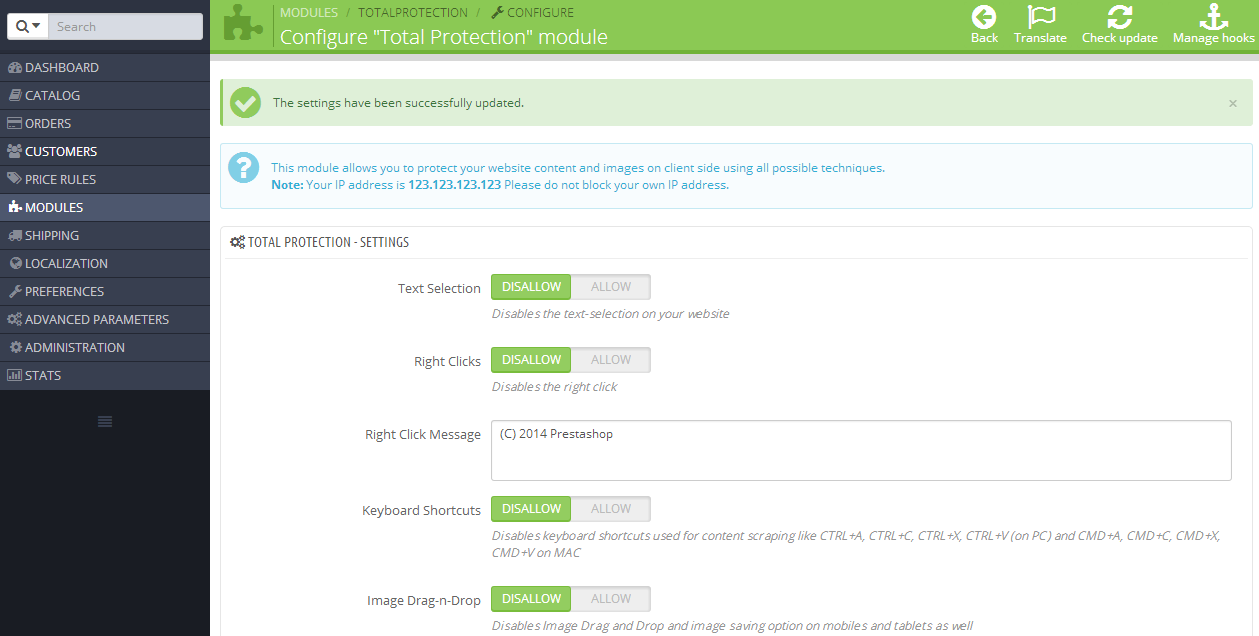
Prestashop Total Protection Pro
Protect your Prestashop site from content theft
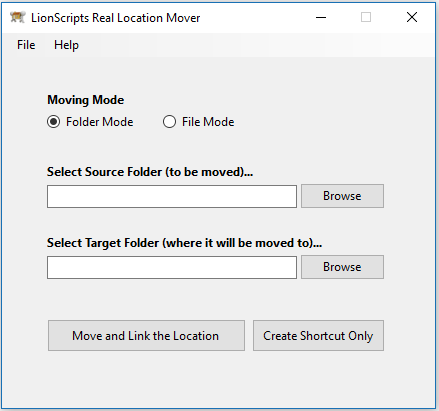
Windows Symlink Creator Pro
Free up disk space and boost Windows performance

Joomla Copy Protection Pro
Safeguard your Joomla site's content and images from theft

Webmaster Tools Suite
Verify webmaster tools and track analytics in one click
Recently Added
Fresh releases and latest additions
SiteGuard Pro
Safely maintain your site with noindex and nofollow protection
Prestashop Total Protection Pro
Protect your Prestashop site from content theft
Joomla Copy Protection Pro
Safeguard your Joomla site's content and images from theft
Windows Symlink Creator Pro
Free up disk space and boost Windows performance